
Table of Contents
ToggleThe Data Sitting in Your Files Is a Goldmine Nobody Is Mining
Here’s an uncomfortable truth about most Salesforce implementations: the most valuable customer data in the organization isn’t stored in a CRM field. It’s buried in a PDF contract attached to an Opportunity. It’s locked inside a warranty document linked to a Case. It’s sitting in a CSV export from last quarter’s trade show scanner that nobody imported properly.
Salesforce Data Cloud file ingestion is the capability that finally bridges that gap — and understanding it deeply could be one of the most valuable skills you develop in 2025 and beyond.
Whether you’re a Salesforce Admin trying to enrich your unified customer profiles, a developer building an Agentforce-powered service agent, or a job seeker preparing for the Data Cloud Consultant certification exam, this guide is built for you. We’ll go far beyond the basics of “click New Data Stream” and explore what most tutorials miss: the strategic decision-making behind ingestion methods, the real-world impact on AI readiness, and the career moves that set you apart.
The Ingestion Spectrum: One Term, Many Realities
Most beginners treat “file ingestion” as a single concept. It isn’t. Salesforce Data Cloud actually offers you a spectrum of file ingestion approaches, each with a completely different use case, technical profile, and downstream impact. Choosing the wrong one doesn’t just waste time — it can silently corrupt your unified profiles or break your Agentforce grounding.
Let’s break down the three main scenarios you’ll encounter in real projects:
1. Local File Upload (CSV) — Speed Over Scale
Introduced as a Beta feature and now more broadly available, the Local File Upload connector lets you drag a CSV directly from your desktop into Data Cloud and have it land in a Data Lake Object (DLO) within seconds. No S3 bucket. No connected app. No ETL pipeline.
This sounds almost too easy — and there’s a reason for that. The feature was designed explicitly for data under 100MB that you need to ingest once, usually for testing, quick segmentation, or one-off campaign launches. Think of it as your “emergency lane” on the data highway.
When it genuinely shines:
- Uploading a trade show lead list to trigger a same-day Marketing Cloud campaign
- Ingesting a one-time product recall customer list to trigger Data Cloud flows and proactively notify affected buyers
- Testing a new identity resolution strategy before committing to a full pipeline
Where professionals get tripped up: Many admins use this for recurring data that should have a scheduled connector (like S3 or SFTP). Data streams created via Local File Upload cannot be scheduled or refreshed. You’re always creating a new stream. Over time, this creates DLO sprawl and mapping chaos.
2. Cloud Storage Connectors — The Enterprise Standard
For anything recurring, large-scale, or production-grade, Data Cloud’s cloud storage connectors (Amazon S3, Google Cloud Storage, Azure Blob Storage) are the right tool. These support scheduled ingestion, handle files up to 50GB per file and 100 million rows, and integrate cleanly with your upstream data pipelines.
One thing almost no tutorial mentions: the schema contract matters enormously here. Data Cloud requires a schema_sample.csv file that defines your column headers and data types before it will accept bulk file drops. Any mismatch between this schema and your actual data files — even something as small as an extra trailing space in a column name — can cause silent ingestion failures or, worse, records that land in your DLO but with null values in critical identity fields.
Treat this schema file like a database migration script: version-control it, test it in a sandbox, and never update it casually.
3. File Attachment Ingestion from Salesforce Objects — The AI Frontier
This is the one most beginners haven’t heard of, and it’s arguably the most transformative. Starting with Spring ’25 (and maturing through subsequent releases), Salesforce made it possible to ingest file attachments linked to native Salesforce objects — think ContentDocument files attached to Cases, Accounts, or custom objects — directly into Data Cloud as unstructured data.
The magic here isn’t just storage. When those file attachments land in Data Cloud, they get chunked, vectorized, and indexed automatically. That PDF warranty document becomes a searchable intelligence source. A support transcript attached to a Case becomes a knowledge asset that Agentforce can retrieve and reason over in real time.
This is where file ingestion stops being a data management task and starts being an AI strategy.
How the Unstructured Data Pipeline Actually Works
Understanding the mechanics makes you a far better practitioner and a far more credible consultant. Here’s the pipeline that runs behind the scenes when you ingest file attachments into Data Cloud:
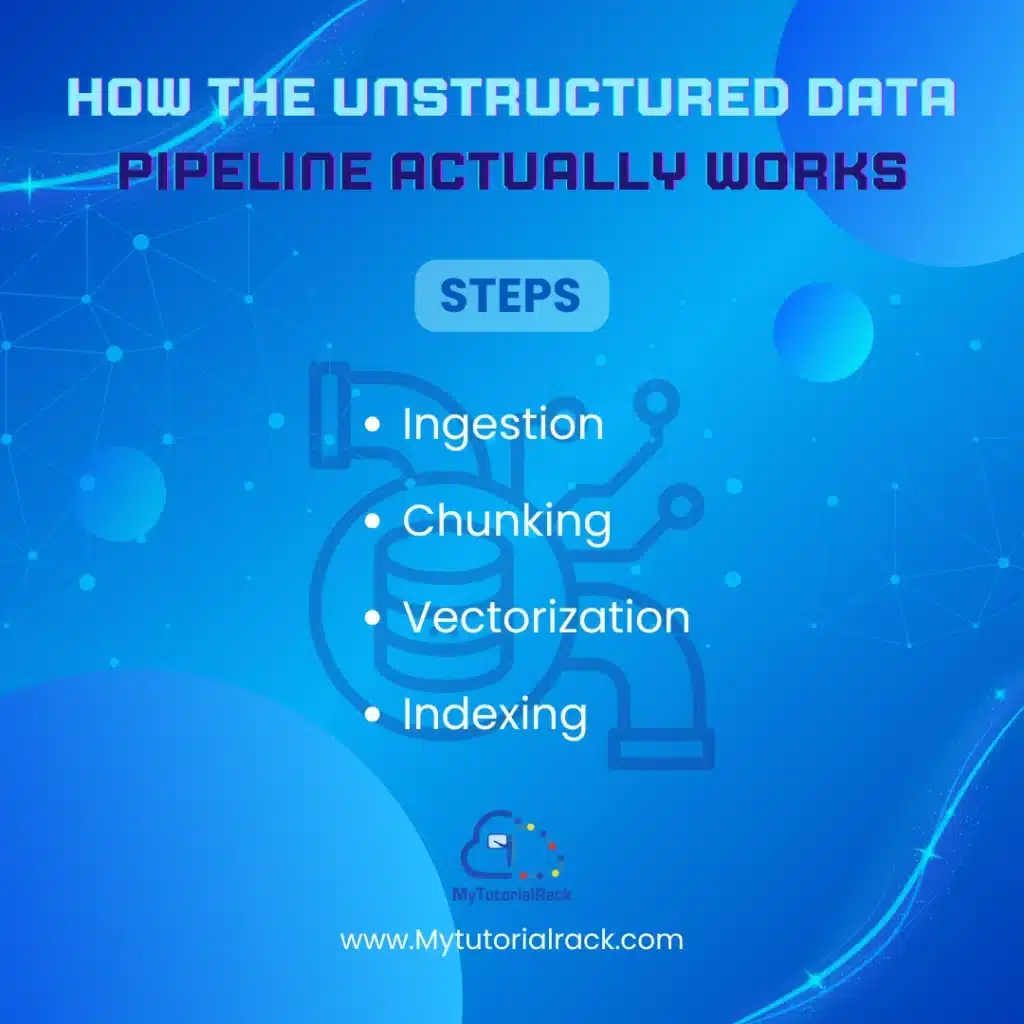
Step 1 — Ingestion: The file (PDF, DOCX, etc.) is pulled from the Salesforce object’s ContentDocument relationship via a Data Stream configured on that object. The raw file lands in an Unstructured Data Lake Object (UDLO).
Step 2 — Chunking: Data Cloud breaks the document into contextual segments — paragraphs, sections, meaningful content blocks. This is not arbitrary splitting. The chunking algorithm tries to preserve semantic coherence so that each chunk makes sense on its own.
Step 3 — Vectorization: Each chunk gets converted into a numerical embedding — a high-dimensional vector that captures the meaning of the text, not just the words. Similar content ends up closer together in this vector space, which is what makes semantic search possible.
Step 4 — Indexing: The vectors are organized into a search index. This is what Agentforce queries when it needs to retrieve relevant context before generating a response.
A useful analogy: imagine a library where every book has been read, summarized at the paragraph level, and each summary has been placed on a shelf next to other summaries with similar themes — regardless of which book they came from. That’s roughly what the vector database does. It makes cross-document retrieval possible at AI speed.
Practical Walkthrough: Setting Up File Attachment Ingestion
Here’s a realistic flow for a Salesforce Admin or Junior Developer setting this up for the first time:
1. Ensure your org has Data Cloud provisioned. This is a separate license from core Salesforce. If you’re in a sandbox or trial, confirm Data Cloud is activated.
2. Navigate to Data Cloud Setup → Data Streams → New.
3. Select “Salesforce CRM” as your connector source (not “Local File Upload” — that’s a different path).
4. Choose the object that has your file attachments. For example, if your case-related PDFs are in ContentDocument, you’ll configure the stream around the related object (Case) and enable the file attachment ingestion toggle that appears in Spring ’25 and later releases.
5. Configure your Data Stream settings. Define the ingestion schedule, choose which fields to sync (including the ContentDocumentLink relationship), and deploy.
6. After deploying, verify in Data Explorer that your UDLO is populating. Note: status fields like “Last Run Status” may not populate immediately — query the UDLO directly in the Query Editor to confirm data arrived.
7. Create a Search Index on the UDLO. Navigate to Data Cloud → Search Indexes → New. Select your UDLO and the fields you want vectorized.
8. Connect to Agentforce or Prompt Builder. Once indexed, your file content is retrievable via the “Answer Questions with Knowledge” action in Agentforce, or via a Retriever in Prompt Builder.
What Most Guides Get Wrong: The Misconceptions That Cost Projects
Misconception 1: "Any file format works"
CSV files work cleanly for structured ingestion. But for unstructured attachment ingestion, Data Cloud has specific format support. PDFs and common document types are supported; proprietary formats, encrypted files, and extremely large single documents may not chunk cleanly or may fail silently. Always test with a representative sample before rolling out to thousands of records.
Misconception 2: "Ingestion = AI readiness"
Ingesting the file is just Step 1. Without a properly configured Search Index, those files cannot be retrieved by Agentforce or Prompt Builder. Many implementations ingest data correctly but skip index creation or index it on the wrong fields, resulting in AI responses that ignore the file content entirely. This is one of the most common failures in early Agentforce projects.
Misconception 3: "The Local File Upload is fine for production"
It isn’t. Its inability to be scheduled, its lack of refresh capability, and its missing status fields make it unsuitable for any recurring production Workflow. Reserve it for one-time loads and sandbox testing.
Misconception 4: "File ingestion is an Admin task"
It starts as configuration, but production-grade file ingestion that feeds AI agents quickly becomes a collaborative effort involving Admins (connector setup), Developers (schema governance, Apex triggers for file prep), and Architects (identity resolution strategy, search index design). If you’re job-seeking, being able to speak to all three layers is a competitive differentiator.
The Career Angle: Why This Skill Opens Doors in 2026
Here’s the honest assessment: most Salesforce professionals you’ll compete against for jobs know how to configure basic CRM objects and write simple flows. A shrinking number have hands-on experience with Data Cloud. An even smaller number understand the full pipeline from raw file ingestion through to AI retrieval.
That gap is your opportunity.
Data Cloud Consultant is one of the fastest-growing Salesforce certification paths, and companies implementing Agentforce are desperately searching for practitioners who understand how to ground AI agents in organizational knowledge — which is exactly what file ingestion and the unstructured data pipeline enables.
In interviews, being able to say “I’ve set up file attachment ingestion from Case objects, configured vector search indexes, and connected the output to an Agentforce action” is worth more than a dozen generic answers about Sales Cloud configuration.
Practical steps to build this skill:
- Spin up a Developer Edition org and enable Data Cloud (Salesforce offers trial access)
- Upload a small CSV via Local File Upload and explore the resulting DLO in Data Explorer
- Attach sample PDFs to Case records and configure attachment ingestion
- Build a simple Agentforce topic that retrieves from your indexed UDLO
- Document it — write about it, record a demo, add it to your portfolio
The combination of hands-on experience plus documented evidence is what converts resume screenings into interview calls.
The Bigger Picture: Where File Ingestion Fits in the AI-Ready Enterprise
Salesforce’s direction is unmistakable. The Zoomin acquisition, the Enterprise Knowledge suite, Agentforce Data Libraries — all of it points toward a future where the quality of an AI agent’s responses is determined by the richness of data fed into it. Structured CRM data provides the who. Unstructured file data provides the why, how, and what happened.
A customer profile that includes past purchase history (structured) plus a PDF service agreement, an email thread transcript, and a scanned intake form (unstructured) is infinitely more useful to an AI agent than either data type alone.
The organizations winning with Agentforce in 2026 aren’t necessarily those with the most sophisticated models. They’re the ones that invested early in getting their data — including their file attachments — properly ingested, indexed, and connected to their AI layer.
Conclusion: Your Files Are Already an AI Asset — You Just Have to Unlock Them
Salesforce Data Cloud file ingestion isn’t a niche technical feature. It’s the infrastructure layer that determines whether your organization’s AI can answer meaningful questions or just respond with generic platitudes.
Understanding the ingestion spectrum — from one-click CSV uploads to enterprise cloud storage pipelines to attachment-based unstructured data ingestion — gives you a complete picture that most practitioners simply don’t have yet.
If you’re at the beginning of this journey, start small: upload a CSV, explore the DLO, then graduate to attachment ingestion. Each step builds intuition that no amount of documentation reading can fully replicate.
Ready to Go Deeper?
If you want to build real, hands-on skills in Data Cloud — not just pass an exam but actually know how to architect and implement solutions that enterprises are deploying right now — the Salesforce Data Cloud Consultant Certification Course on MyTutorialRack is worth your time.
It’s built around real-world project scenarios, not just theory. You’ll work through data stream configuration, identity resolution, segmentation, activation — and the emerging AI use cases that are reshaping what Data Cloud practitioners need to know. If your goal is to get job-ready and be able to speak credibly about Data Cloud in technical interviews, this is the kind of structured learning that bridges the gap between “I read the docs” and “I built this.”
The organizations hiring right now are looking for practitioners who can connect the dots between data infrastructure and AI outcomes. This course is a practical path to becoming one of them.





